



Retire legacy archives without leaving legal obligations behind
Preserve the information subject to continuing legal and governance obligations, keep it searchable after the source system is gone, and decommission archives, retired applications, and other legacy repositories on your schedule.
Migrating everything is not the answer
Moving the entire archive into Microsoft 365 may allow the legacy system to be retired, but it carries the full population forward before the organization has determined what belongs in production, what must remain preserved, and what can be disposed of.

Historical data carried into production may be left in migration folders or search locations without clear ownership, retention, or disposition. Moving the data changes its location; it does not determine its lifecycle.
Moving data does not remove the organization’s responsibilities for it. The population may remain subject to discovery and privacy searches, add to the production attack surface, and consume production storage.
Journal and historical populations do not necessarily belong in the next production environment. Expireon™ provides a governed environment for information that must remain available outside the system that created it.
Preserve historical identity
Archive retirement should not separate information from the people and organizations that give it meaning. Historical names, accounts, roles, and participants must remain resolvable after the source system is gone.
- Names and roles | Prior names, aliases, email addresses, and roles
- Leavers | Identities belonging to people who left the organization
- Acquisitions | Identities inherited from acquired organizations
- Participants | People associated with the information when it was created or used
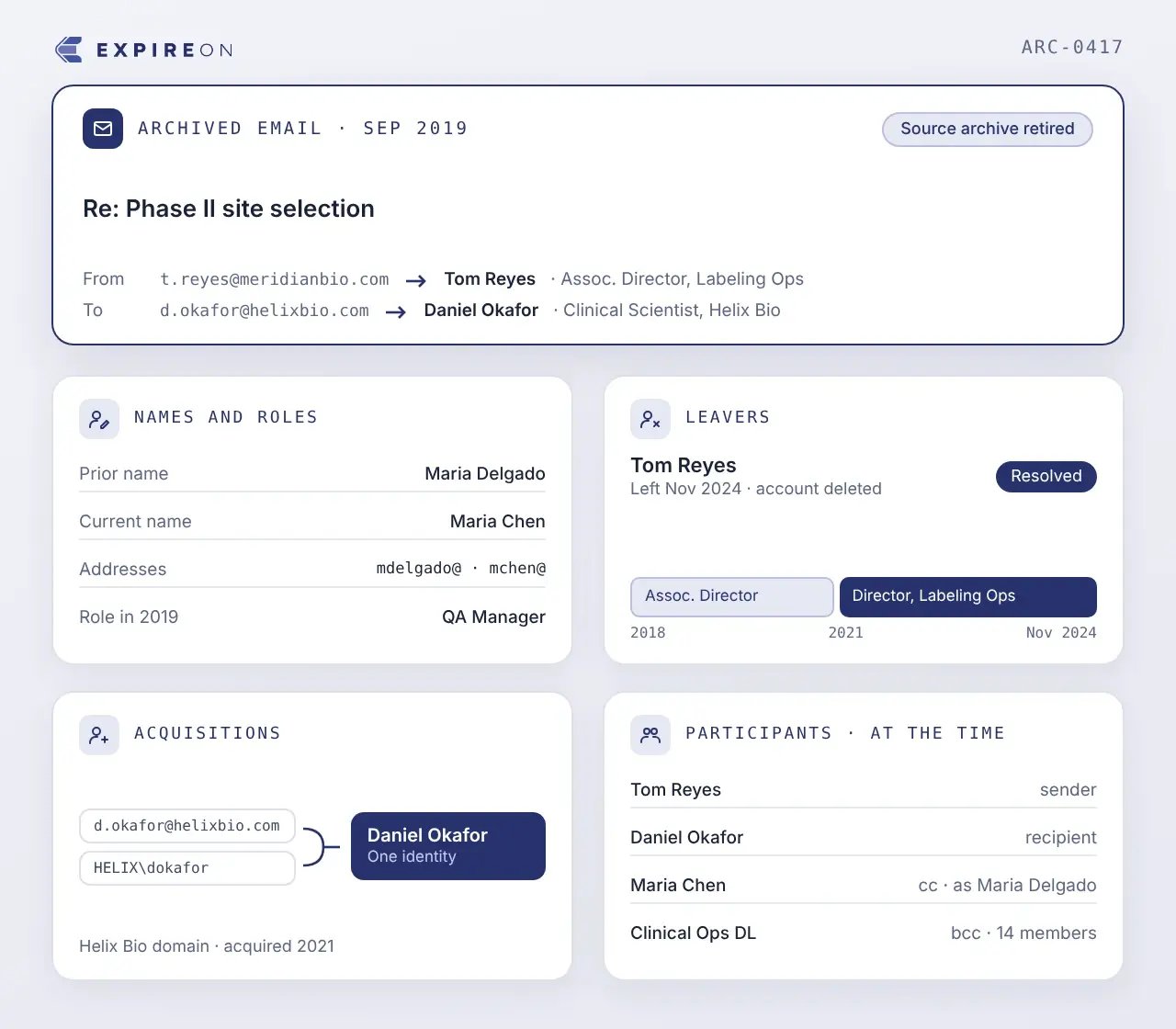
Keep source and legal context attached
Identity alone is not enough. Source, metadata, relationships, and legal status must remain with each population so it can be understood, governed, and used later.
- Source | Where each population came from
- Metadata | What the original system recorded
- Relationships | How messages, files, and populations connect
- Legal status | Hold, retention, and other requirements associated with the population
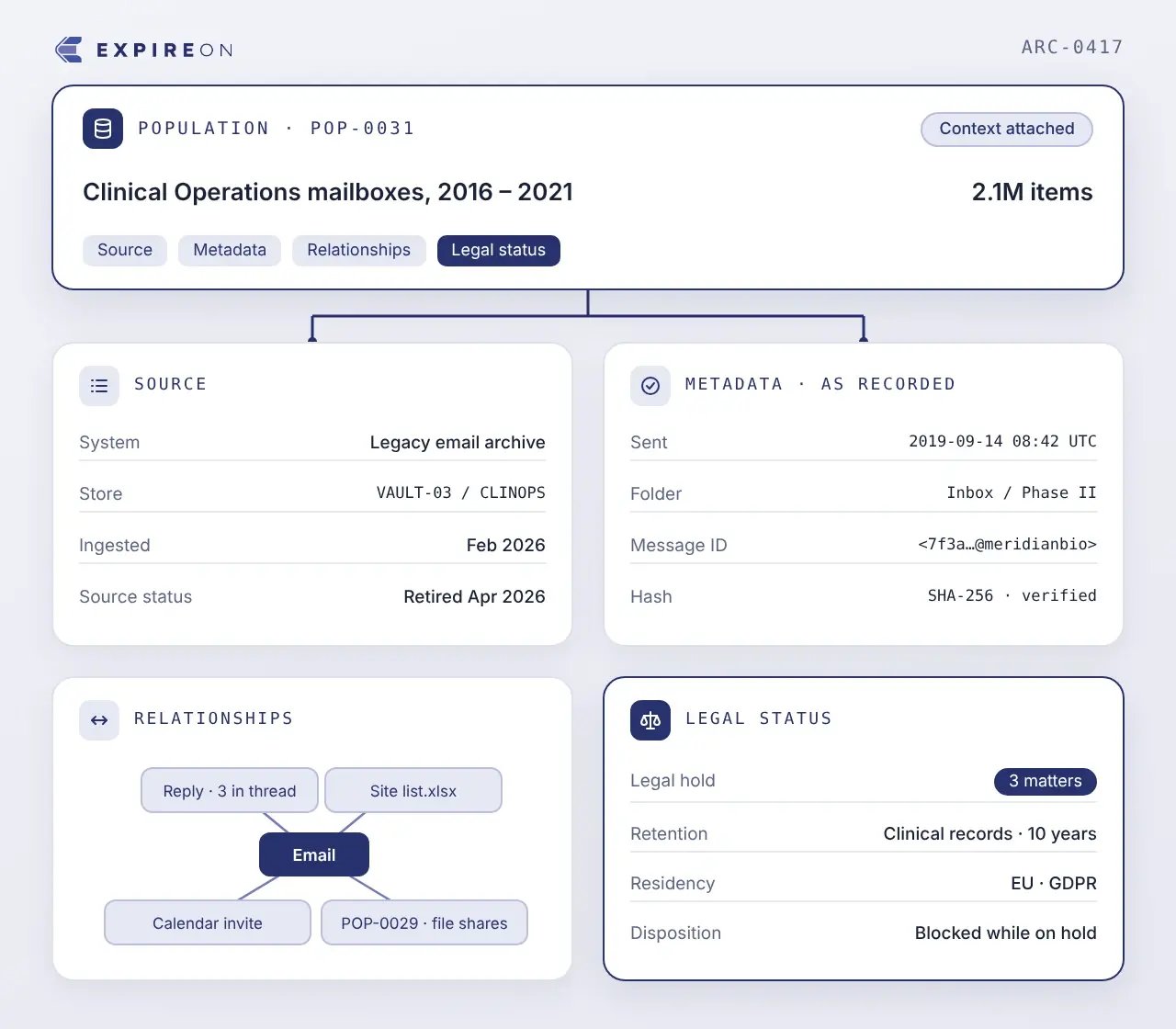
Separate the archive by continuing purpose
An archive contains information with different futures. Some still supports active business use, some remains subject to continuing requirements, and some no longer needs to be kept. Separating those populations allows archive retirement to proceed.

Information still needed for active business use moves to Microsoft 365 or another production environment through the appropriate migration workflow.

Information with continuing requirements remains governed and accessible in Expireon, outside the legacy archive and the production environment. From there, it can remain preserved or move to a governed repository or legal review when required.

Information with no remaining business, legal, regulatory, contractual, client, or governance requirement can proceed through approved expiration or disposition.

Preserve what is required, retire the infrastructure
See how Cloudficient can preserve the information your obligations require, keep it searchable after the source system is gone, and let you decommission legacy archives and applications on the schedule you set.