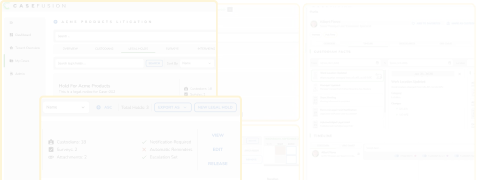
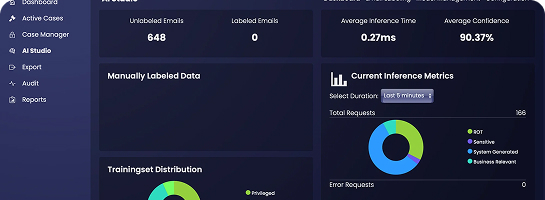
CaseFusion solves the challenges associated with cloud and collaboration data. Identify the right custodians and sources, preserve contextually relevant document versions, do targeted collections based on activity, and analyze with the power of context and AI.
The shift to cloud-based work has introduced new discovery challenges. Modern collaboration creates context around people, repositories, files, conversations, and activity that may matter during discovery.
What legal may need to understand:
Live collaboration | Work happens across shared repositories, chats, channels, and collaborative workspaces.
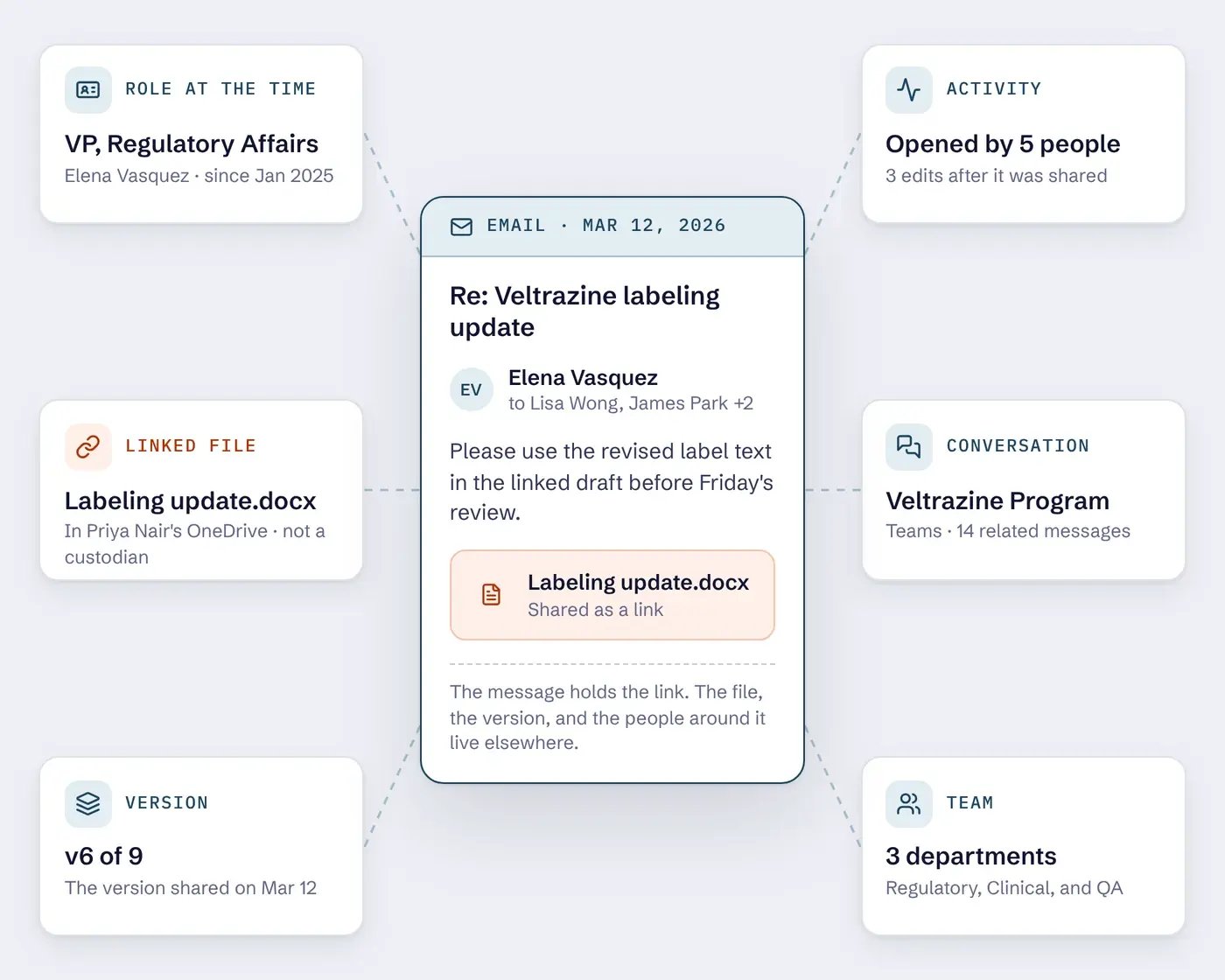
Linked files | Files are increasingly shared as links rather than static attachments.
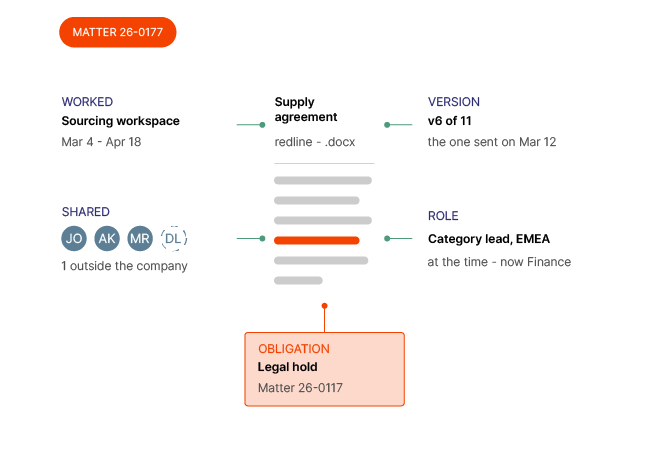
File versions | Different recipients may open or interact with different versions of the same file at different times.
Identity over time | Roles, reporting lines, group memberships, and organizational relationships change through reorganization and acquisition.
Cross-functional teams | Project teams may span departments, business units, and repositories rather than following a fixed organizational structure.
Recorded activity | Sharing, accessing, editing, deleting, joining conversations, changing teams, syncing devices, and using AI can create context that helps inform discovery decisions.
These are symptoms of the modern workplace, and CaseFusion is built to address them. It captures and integrates context into eDiscovery to help identify the right custodians and ESI and provide more insight during analysis and review.
Platform capabilities
01
Identify the right people and sources
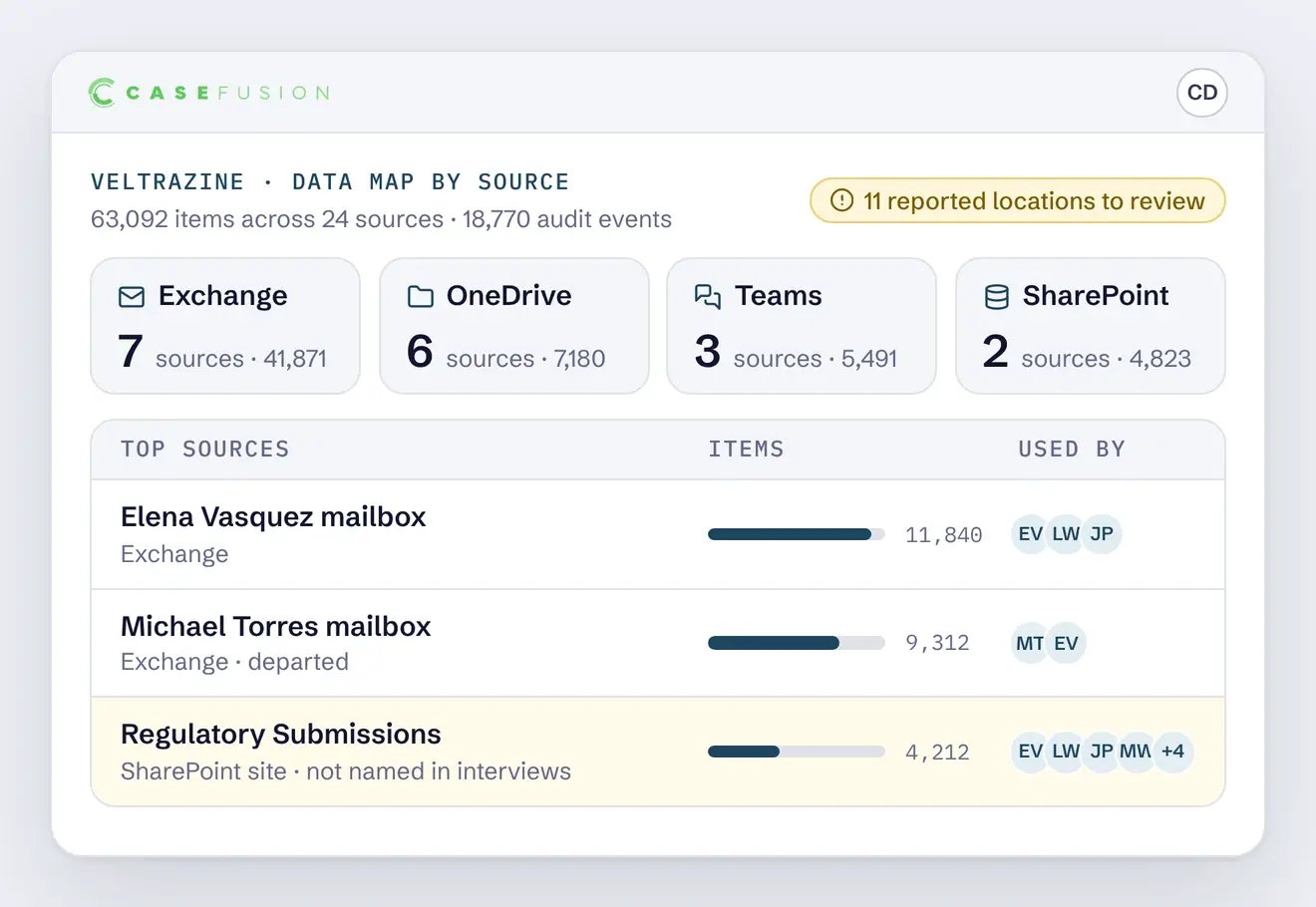
Use effective-dated identity, organizational relationships, custodian interviews, and Microsoft 365 activity to connect people to repositories, resolve identities, and build a matter-specific data map.
02
Manage the hold and preserve
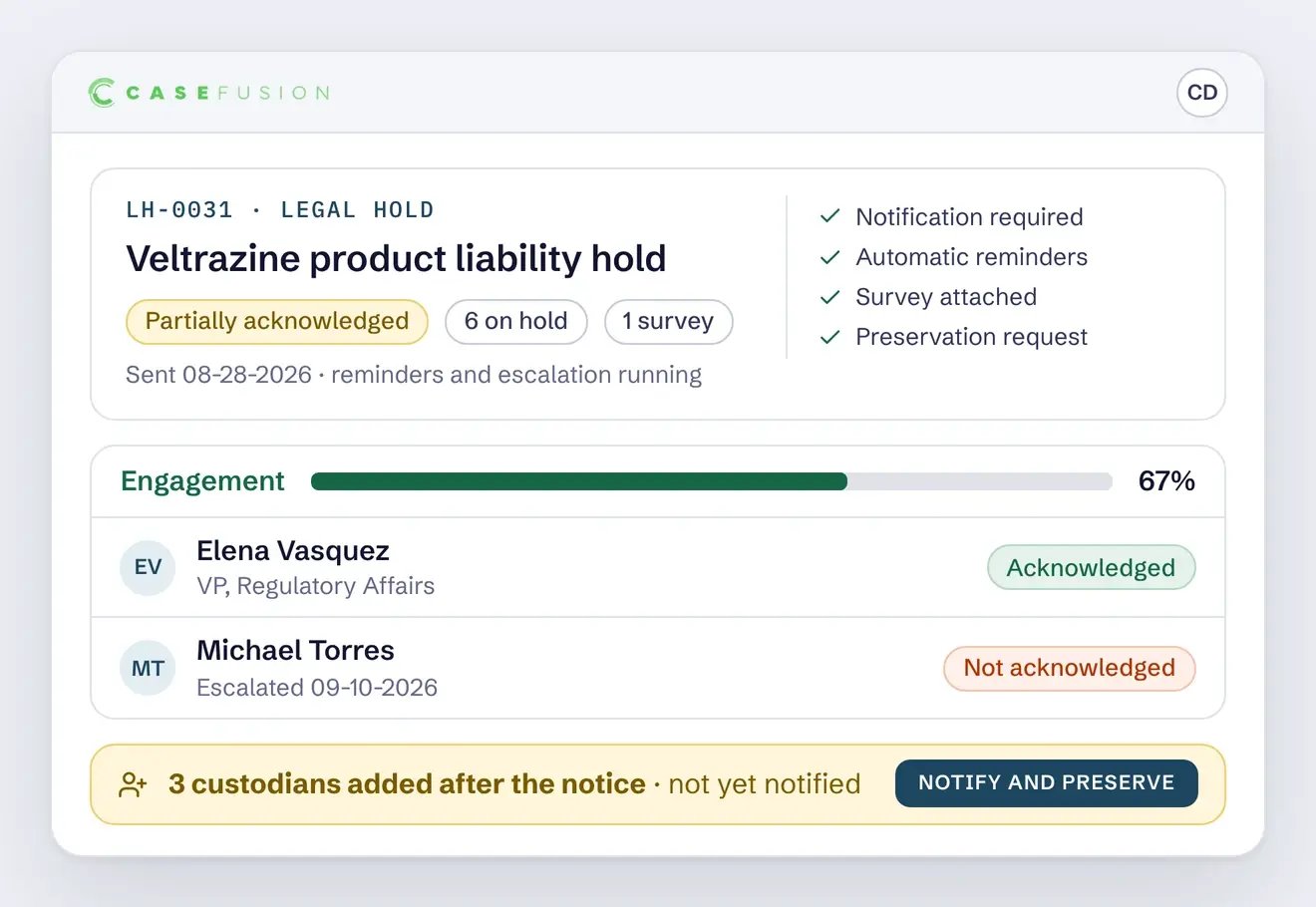
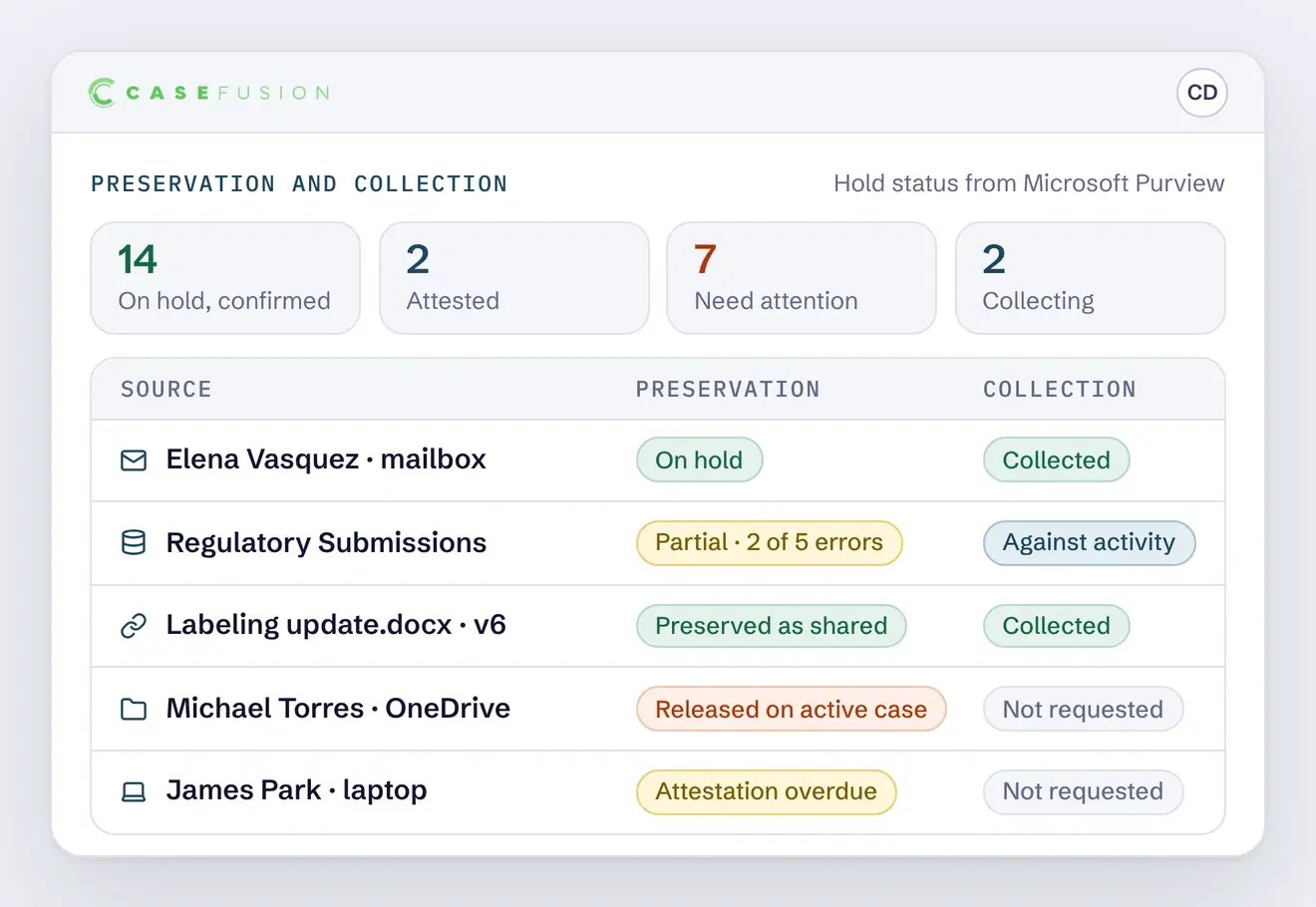
Issue and track hold notices, apply preservation through Microsoft Purview, preserve linked files and relevant versions, collect to preserve where needed, and record scope changes and exceptions.
03
Collect using recorded activity
Preserve custodian sources, then use recorded activity to target collection in shared sources based on what custodians accessed, shared, or worked on, rather than collecting the entire repository.
04
Assess and cull before review
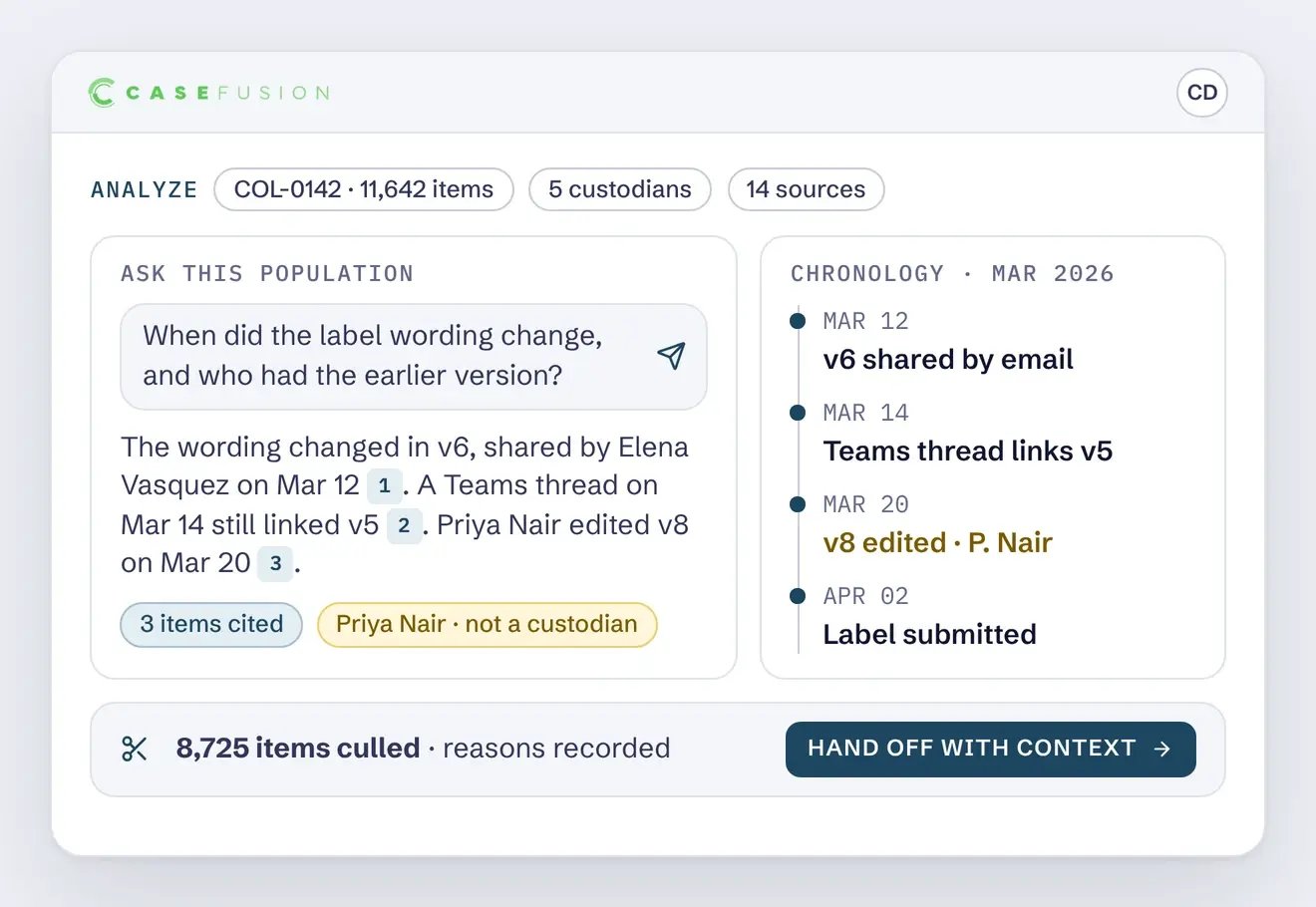
Search, filter, and preview preserved ESI with identity, activity, and relationship context. Investigate results, build chronologies, validate the collection, and promote a culled dataset downstream with context included.
Connected at every stage of discovery
CaseFusion connects identification, legal hold, preservation, collection, and analysis within a matter. As new information emerges, teams can refine earlier decisions while keeping the relevant context intact.
Identify the right custodians and sources
Establish who may hold relevant ESI and which repositories and data sources belong in scope using identity over time, organizational relationships, custodian interviews, and indexed activity.
Understand identity over time | Use effective-dated identity and organizational relationships to understand who a person was during the relevant period.
Connect people to repositories | Use indexed activity and other matter information to identify the sources and repositories associated with the people in scope.
Refine scope as new information appears | Use interviews, activity, and relationships to investigate whether additional custodians or sources should be considered.
Apply the preservation approach the matter requires, then use activity and context to collect the ESI that should move downstream.
Preserve custodial and shared sources | Apply native Microsoft 365 preservation where it fits the matter and use collect-to-preserve where a source is changing.
Preserve linked files and relevant versions | Resolve cloud-hosted files referenced by links and preserve the versions associated with the events that referenced them.
Use activity to target collection | Collect what custodians accessed, shared, or worked on instead of moving an entire shared repository when the matter does not require it.
The matter is opened with three known custodians and an initial scope based on the information available. The team defines the relevant time period and begins identifying the people and sources that may be involved.
Reconstruct historical identity
Effective-dated identity shows that one custodian held a different role during the relevant period and identifies the manager responsible for that function at the time.
Issue hold notices
Hold notices are sent to the custodians in scope, with surveys asking what systems they used and who else was involved.
Apply preservation
Preservation is applied across each custodian’s mailbox, OneDrive, one-to-one chats, and the Teams and SharePoint sources they belong to.
Refine scope with activity
Indexed activity reveals sustained interaction with a departmental SharePoint site. The site is added to scope, while routine use of the company intranet is documented and excluded.
Collect from the refined scope
Collection runs against the refined scope rather than the full preserved population, with conversations retained and linked files resolved to the versions associated with relevant events.
Return to identification
Analysis surfaces a recurring exchange involving a fourth employee, sending the matter back to identification so the hold can be extended.
Move the dataset downstream
The culled dataset moves to review with its context intact, including the record of which custodians and sources were included, which were excluded, and why.
CaseFusion in a Microsoft 365 environment
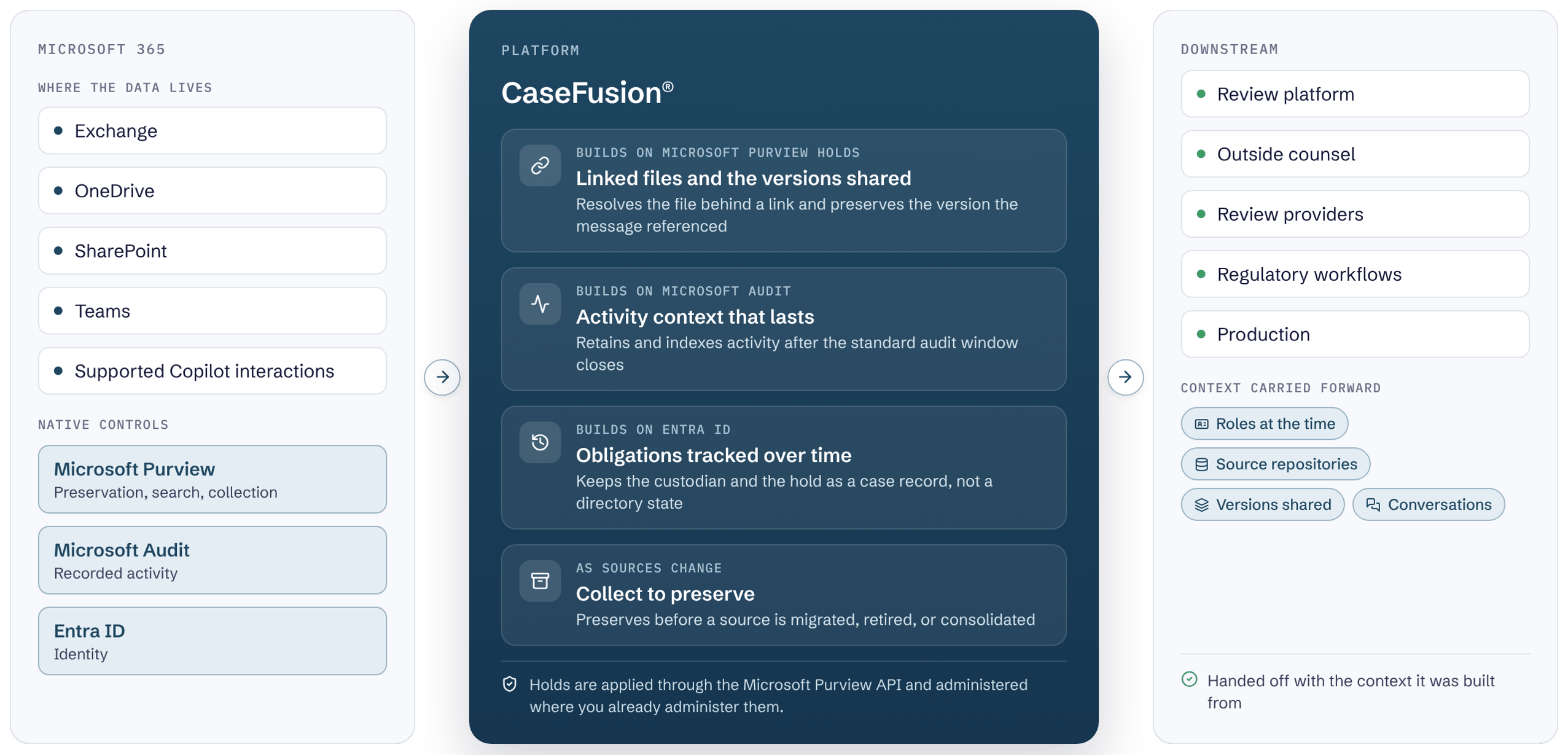
Microsoft 365 provides preservation, audit, search, and collection. CaseFusion builds on those controls to preserve linked files and relevant versions, retain activity context, track obligations over time, and collect to preserve as sources change.
CaseFusion in a Microsoft 365 environment
Microsoft 365 provides preservation, audit, search, and collection. CaseFusion builds on those controls to preserve linked files and relevant versions, retain activity context, track obligations over time, and collect to preserve as sources change.
Trust and control
Keep legal teams in control, preserve a clear record of actions, and connect analysis to the information behind it.
Human judgment
CaseFusion provides information and analysis to support legal decisions. Legal teams retain responsibility for determining preservation obligations, relevance, responsiveness, privilege, and production scope.
Traceable decisions
The matter records the information supporting decisions about custodians, sources, legal holds, preservation, collection, document versions, and culling - so teams can explain what was included, what was excluded, and why.
Chain of custody
CaseFusion records source locations, hold and collection status, action dates, selected data, and responsible users. Exceptions and remediation are also recorded where supported.
Grounded AI
AI-assisted queries run against a defined matter population. CaseFusion records the population analyzed, the question asked, the results returned, and the decision that followed, so a result can be traced back to the ESI that produced it.
Activity in context
Recorded activity helps teams investigate interactions between users and sources. An interaction alone does not establish relevance or show what a person read, understood, or relied upon.
Native preservation
CaseFusion applies preservation through the Microsoft Purview API, using the native hold controls that Microsoft supports and maintains.
How CaseFusion® relates to Expireon™
CaseFusion manages eDiscovery workflows. Expireon manages continuity for data that must outlive change.
The Context-Aware eDiscovery™ platformCaseFusion
Supports matter-centered identification, legal hold and preservation, targeted collection, and early case assessment.
CaseFusion is Cloudficient's Context-Aware eDiscovery platform, built for matters that run on Microsoft 365 and the collaboration environments around it. It combines content with the context that explains it, and runs identification, legal hold, preservation, collection, and early analysis in one platform.
What is CaseFusion used for?
Establishing who and what belongs in a matter, issuing and managing legal holds, preserving Microsoft 365 ESI including content that sits outside custodian data locations, collecting against recorded activity rather than against whole repositories, understanding a matter before data moves downstream, and reducing the volume and cost that reach processing and review.
Does CaseFusion replace Microsoft Purview?
CaseFusion applies preservation through the Microsoft Purview API, so holds are executed by native Microsoft 365 controls and administered where the organization already administers them. CaseFusion establishes who and what belongs in the matter before the hold is written, and reaches ESI that a location-based hold does not cover: files referenced by links in held messages but stored elsewhere, the versions that existed when those messages were sent, and repository use that standard audit retention no longer records.
Where does the legal hold process run?
In CaseFusion. CaseFusion is the system of record for the hold: who was notified, what was preserved, when the scope changed, and why. Where the held data is preserved is a separate question that depends on how long it must be kept. While the source environment is stable, preservation runs in place and through targeted collection. When an obligation outlives the system, the tenant, or the account, the data is preserved independently.
How is CaseFusion licensed?
CaseFusion is licensed and delivered as one platform edition under consumption-based pricing. The capability areas are not separately purchasable products, editions, or modules.
How is CaseFusion different from Expireon?
CaseFusion manages eDiscovery workflows. Expireon manages continuity for data that must outlive change.
Does CaseFusion decide what is relevant?
No. CaseFusion supplies identity, activity, repository, document, and decision information for the legal team to evaluate. Preservation obligations, relevance, responsiveness, privilege, and production scope remain legal determinations.
Make eDiscovery decisions with context
See how CaseFusion enables better eDiscovery decisions with better information, from identification through analysis.