Define the email population, classification categories, training objectives, and how the results will be reviewed and used.

Classify incoming and historical email
Train classification models on your own examples, apply them to live journal feeds and to historical email already preserved, and use the results to prioritize review and inform preservation, retention, and disposition decisions.
Classification is worth more when it already exists
When classification begins after a matter, investigation, or migration is underway, teams must first understand the population when time is already limited.
AI Studio applies machine-learning-assisted classification to a live journal feed, creating an organized view of email before a specific review is required.
Organizations define business categories differently. Reviewers provide examples from their own communications, and AI Studio trains the model on those examples.
Once trained and validated, the same model can classify newly arriving journal data and historical email already preserved in Expireon.
The same model applies to live and historical email
AI Studio is not a one-time analysis of legacy data. The same trained model applies to email the organization already holds and to email that keeps arriving.
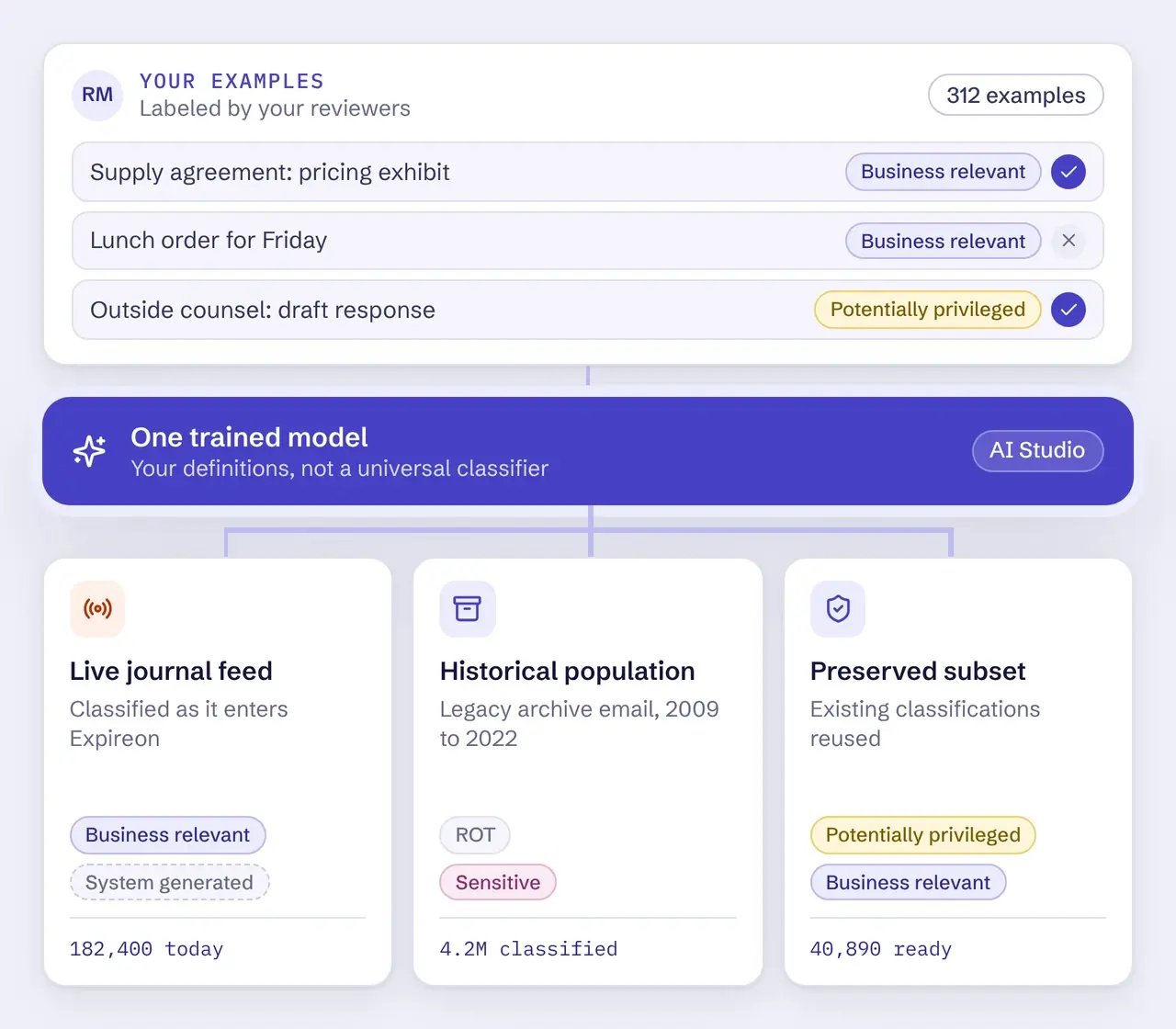
- Live journal feed | Classifies email as it enters Expireon, so business relevance, sensitivity, potential privilege, and other configured categories are available early rather than assembled later.
- Historical population | Applies the same trained model to existing email collections so older data can be segmented, reviewed, preserved, or governed without reading it message by message.
- Preserved subset | Uses existing classifications when a population is preserved for a legal matter or another continuing requirement, so reviewers can start with the messages most likely to warrant attention.
How AI Studio works
AI Studio applies a model trained on the organization’s own examples to live journal data, historical email, and preserved email populations. Classification helps the organization understand the data; policy and accountable reviewers determine what happens next.
Train the model on examples selected and reviewed by the organization’s own people.
Apply the trained model to live journal data, historical email, or a preserved email population in Expireon.
Evaluate results against configured confidence thresholds and route uncertain items for human review or optional secondary analysis.
Use reviewed classifications to focus review, segment exports, and inform preservation, migration, retention, and disposition decisions.
Set confidence thresholds based on the organization’s risk tolerance, policies, and intended use.
Results that meet the configured threshold become available to the workflow they were designed to support.
Route low-confidence items to human review, additional analysis, or optional LLM-assisted secondary review.
Use an optional LLM-assisted step to examine low-confidence results before a person decides how they should be handled.
What AI Studio classifies
AI Studio applies machine-learning-assisted classification to supported email populations in Expireon. Categories are model outputs that support review and governance decisions. They are not legal conclusions.
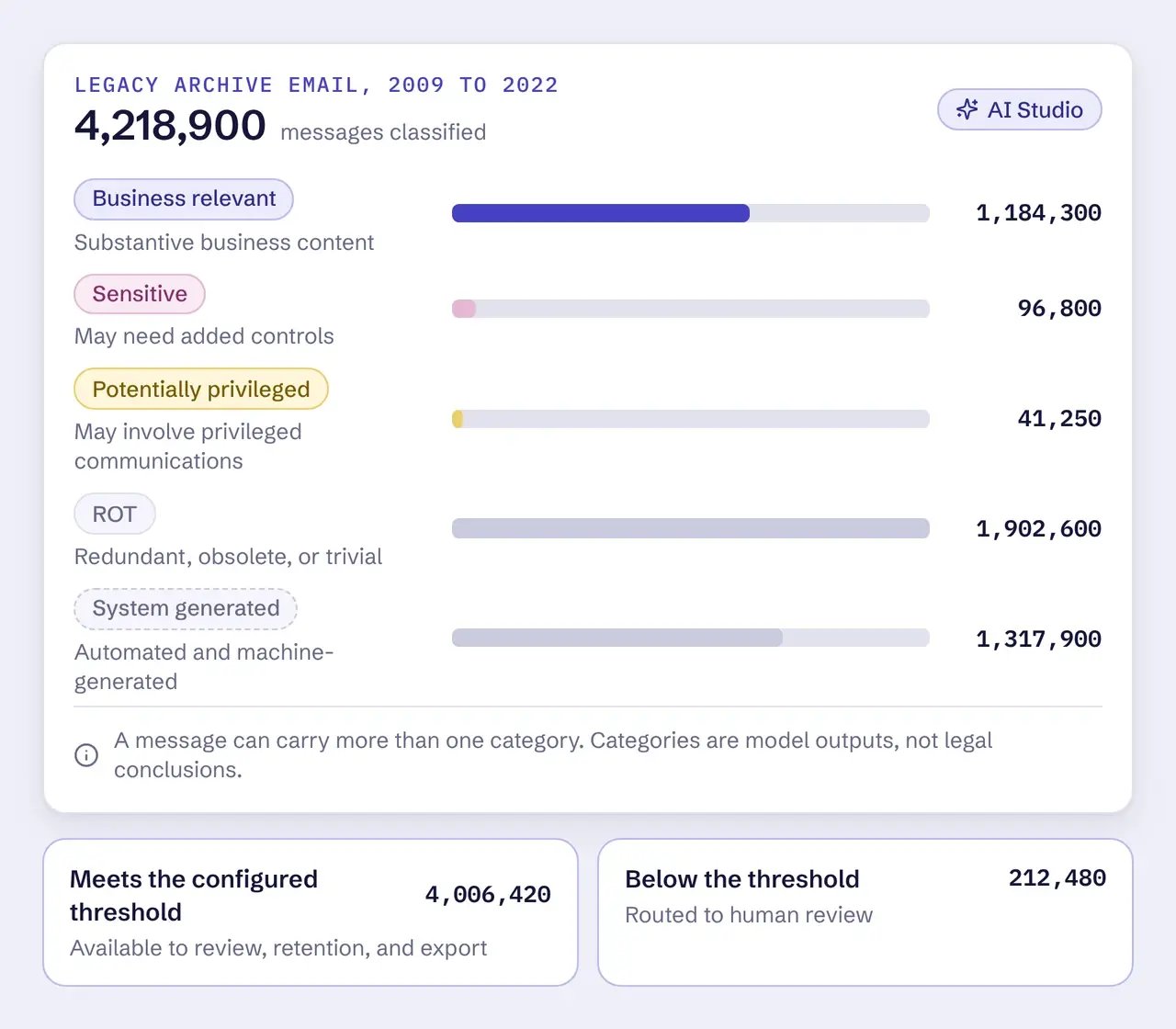
- Business relevant | Email that appears to contain substantive business content and may deserve priority in review, preservation, migration, or retention workflows.
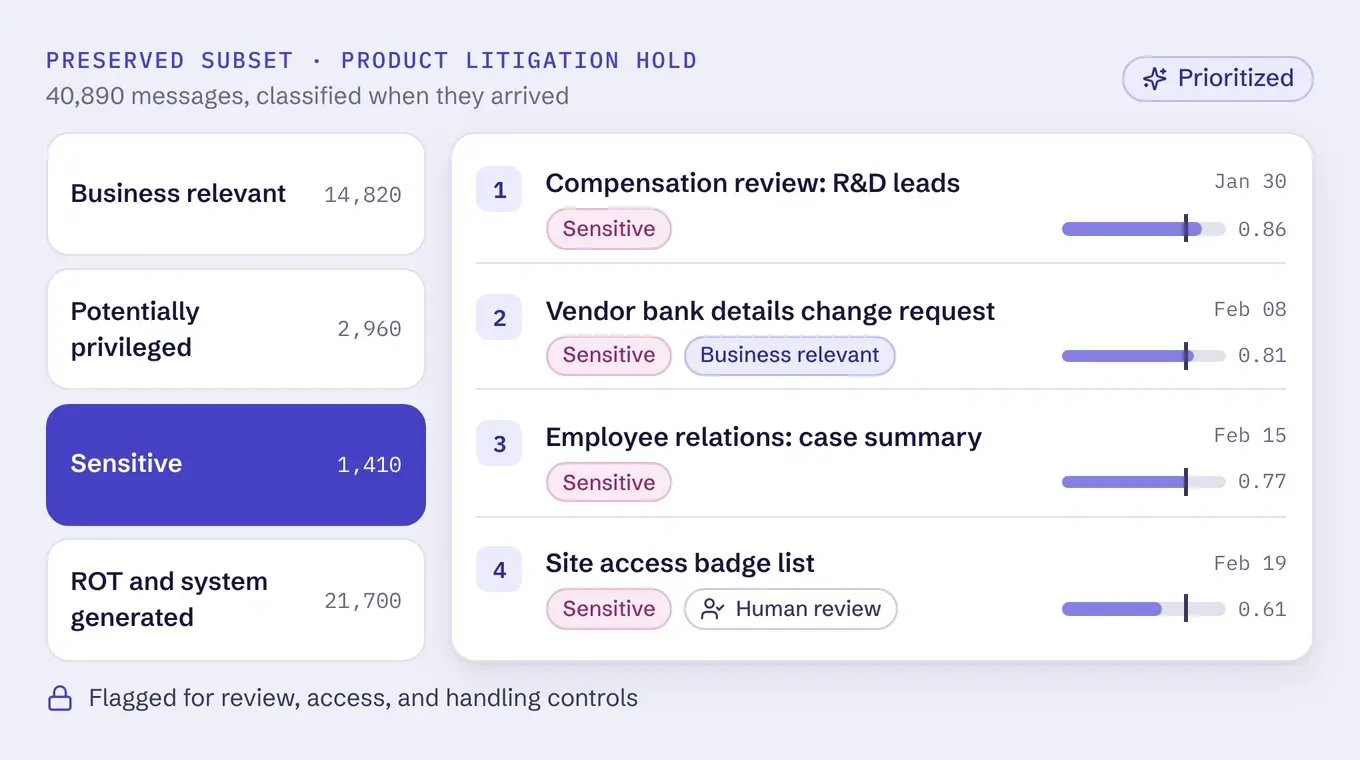
- Sensitive | Content that may warrant additional controls or prioritized review because of the nature of the information.
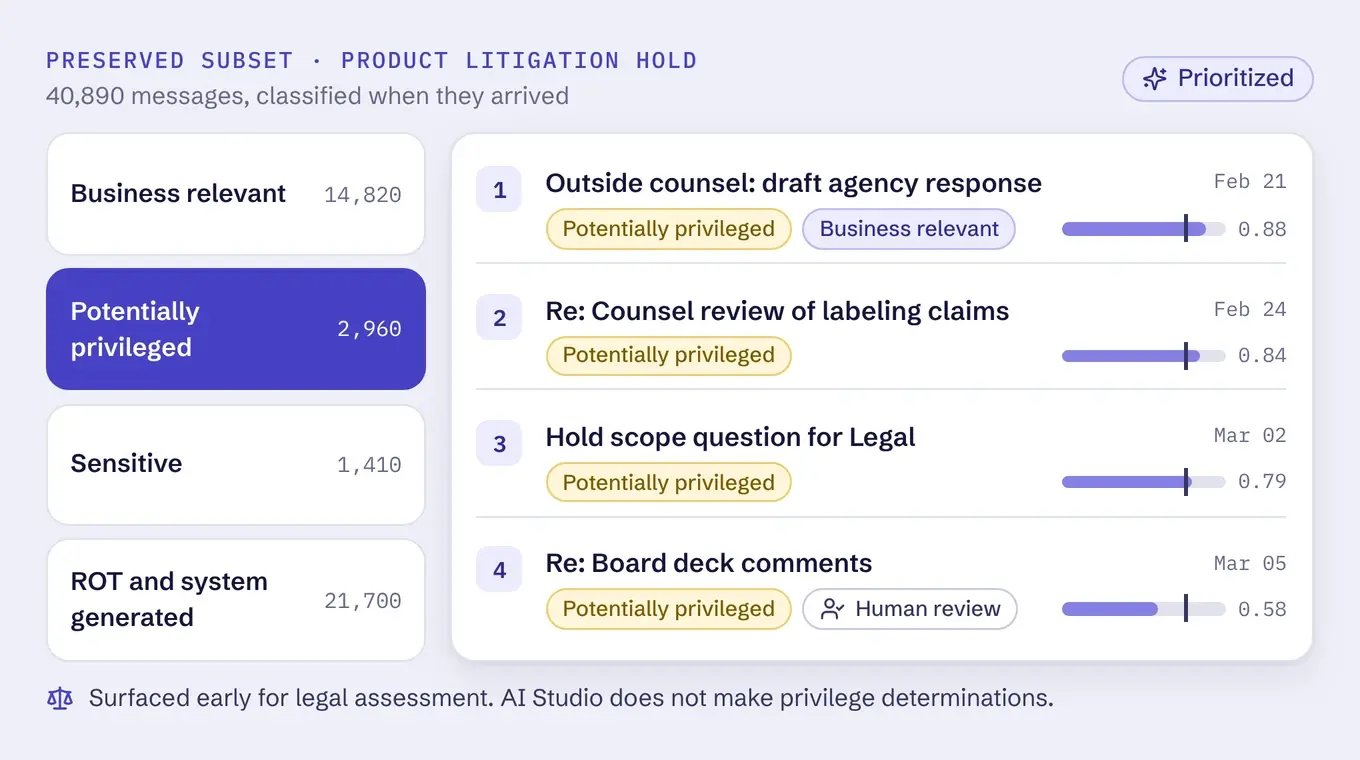
- Potentially privileged | Email that may involve privileged communications, so reviewers can prioritize it for legal assessment. AI Studio does not make privilege determinations.
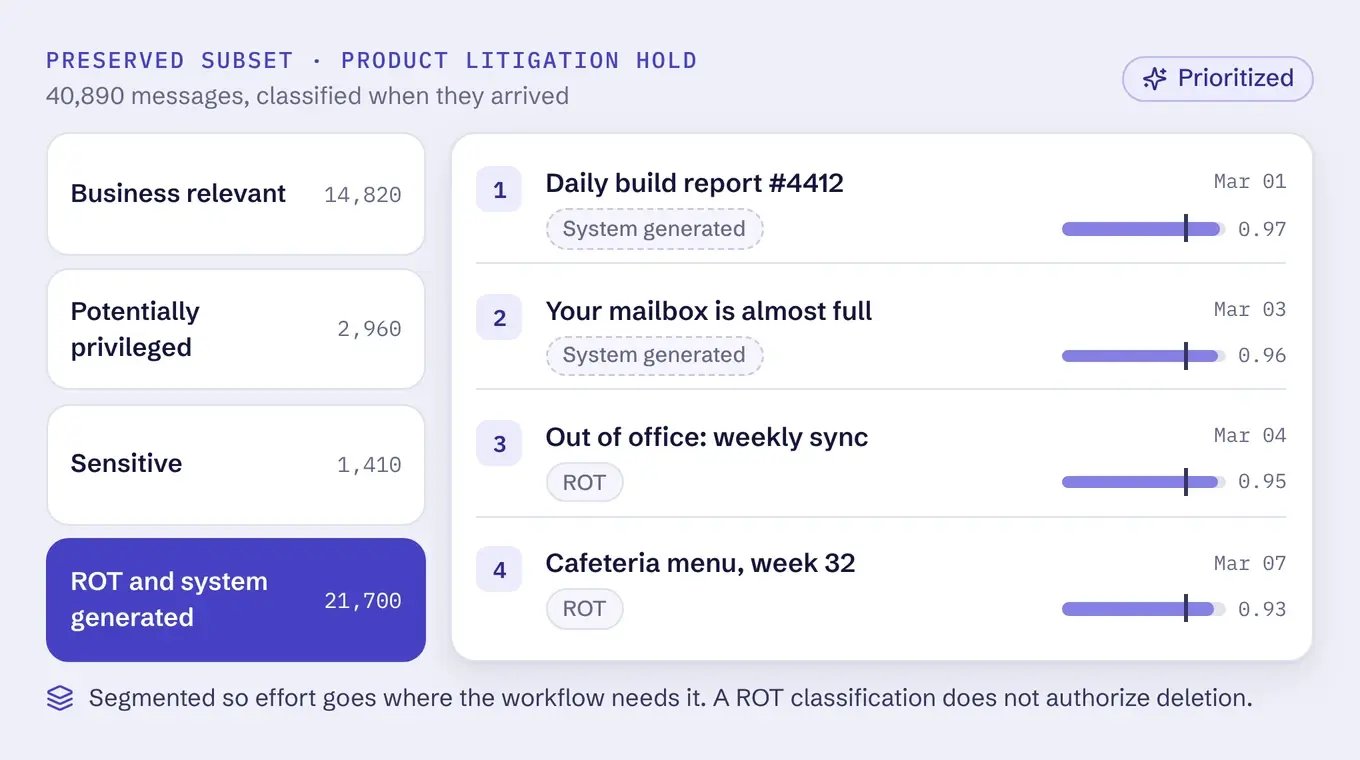
- ROT | Redundant, obsolete, or trivial content that may warrant less attention or further policy review.
- System | Automated and machine-generated email, separated from ordinary human business communications.
Start review with the messages most likely to matter
Classification earns its value when a population has been preserved for a legal matter or another continuing requirement and someone has to decide where to begin.
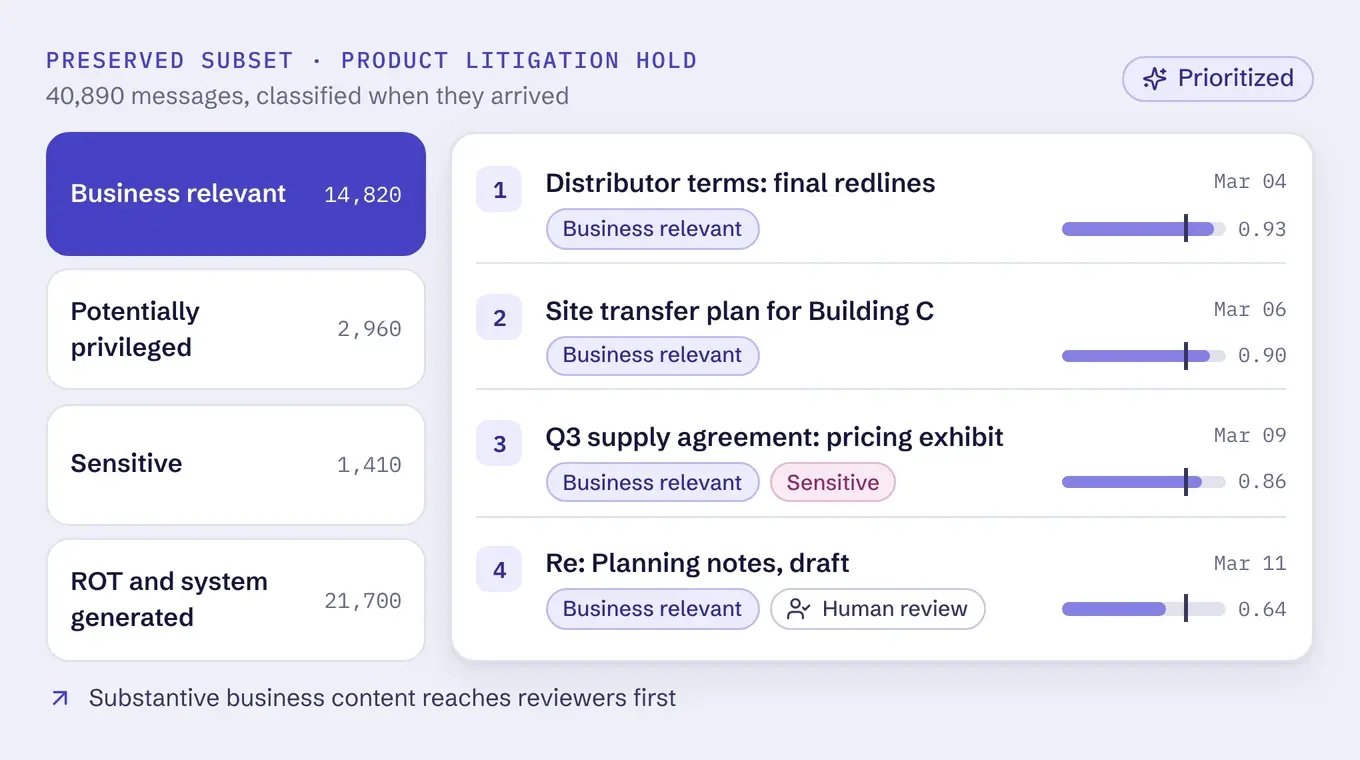
Business relevant classification
- How it influences review | Prioritizes email that appears to contain substantive business content.
- What it is worth | Directs reviewers toward messages more likely to inform the matter or the preservation decision.
Potentially privileged classification
- How it influences review | Prioritizes email that may involve privileged communications.
- What it is worth | Supports earlier legal assessment of privilege questions, which are expensive to discover late.
Sensitive classification
- How it influences review | Prioritizes email containing information that may require additional care.
- What it is worth | Supports appropriate review, access, and handling controls.
ROT and system-generated classification
- How it influences review | Segments low-value and automated content.
- What it is worth | Lets reviewers organize the population and spend effort where the workflow requires it.
Classification with clear guardrails
Use classification to focus review effort without giving the model authority over the legal decision.
AI Studio classifies and segments email so teams can direct attention where it is needed.
Preserve connected ESI that may live outside a custodian's own account.
A ROT classification can identify content for further review. Disposition depends on applicable legal holds, regulatory, contractual and client requirements, records schedules, and approved governance policies.
Confidence thresholds are configured for the organization’s use case, and model results are validated against its own data. AI Studio does not claim absolute accuracy.
Where AI Studio is used
Classifies historical email before the organization decides what remains preserved, what moves elsewhere, and what becomes eligible for disposition analysis.
Applies the trained model to inherited or separated populations so teams can assess what they received before determining future states.
Distinguishes historical email that belongs in the next production platform from email that should remain preserved, instead of moving everything because nothing has been evaluated.
Prioritizes preserved attorney email for review, while client and matter identification remains a separate governance process the firm controls.
Classifies email continuously as journal data enters Expireon, so future governance and legal workflows start from a classified population.
AI Studio FAQs
What is Expireon AI Studio?
Can AI classify email for legal review?
How is journal email classified?
Can AI decide what email to delete?
What is ROT in email management?
See what classification would look like on your email
Classification works best when it is designed around your populations, your categories, and your tolerance for automated decisions.